


Jigsawpics Puzzle Gallery
4.8121.00 Reviews
App Specs
- Version
- 1.15.0
- Updated On
- License
- Free
- Downloads
- 500,000+
- Developer
- UniRise Studio
- Categories
- Trivia
- Platform
- Android
Screenshots

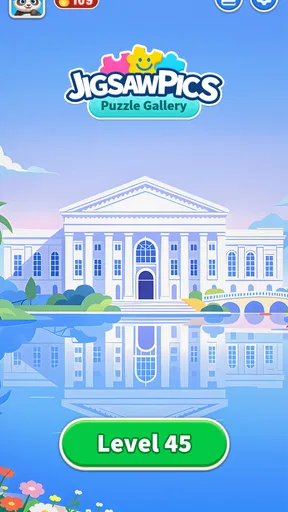
 Analysis by AppCompare
I like puzzles best when they fit the moment: a few minutes while dinner is in the oven, or a longer stretch when I want something quiet to focus on. Jigsawpics Puzzle Gallery is a trivia game built around assembling pictures, and that makes it a different kind of casual pastime from question-and-answer trivia. Its appeal is the hands-on rhythm of moving pieces rather than racing to recall facts. I’d consider it for a shared household device, too, as long as everyone understands that a saved puzzle is not automatically a shared account or a family coordination tool.
A puzzle that can fit into a shared day
Picture a tablet on the kitchen counter between errands. One person starts a picture while waiting for a meal, then another picks up the device later and sees the puzzle still in progress. That sort of low-pressure handoff is where a digital jigsaw can work well: the activity is easy to understand at a glance, and nobody needs to learn a complicated set of rules before joining in. The saved-progress behavior described in the game is particularly useful for these interrupted sessions.
For a household, though, I would treat a puzzle as an activity that people can take turns with, not as a guaranteed shared project. If more than one person uses the same device, it is worth agreeing whose puzzle is open before moving pieces around. A child might enjoy sorting edges while an adult handles the harder sections, but that is a way to play together, not a special collaboration mode I would assume the game provides.
Choosing a comfortable starting point
The useful setup decision is not simply whether a puzzle looks attractive; it is whether the image and challenge match the time and attention available. A clear scene with distinct colors is easier to approach during a short break than a picture full of similar shades. When I want a calm session, I would start with a familiar-looking image and a manageable piece count, then raise the challenge only if I am still enjoying the process.
That approach also helps when the device passes between people with different patience levels. Someone who wants a quick win can work on a smaller puzzle, while a more experienced puzzler can choose a longer task. The original review describes adjustable piece counts, but I would not read that as a promise that every puzzle can be tuned to any exact level. The practical point is to choose a challenge that feels inviting rather than turning a relaxing game into a chore.
Keeping turns friendly and progress clear
Saved progress is convenient, but it changes how I would coordinate shared use. If I were playing with another person, I would agree on a simple handoff: leave the current puzzle open, avoid starting a new one without asking, and say which areas still need attention. That small bit of communication prevents the common shared-device problem of someone mistaking an unfinished activity for a fresh start.
The game’s described sharing and challenge elements may suit players who enjoy showing completed work or comparing results. In a household, that can create a light reason to come back without requiring everyone to play at once. On the other hand, anyone who wants a private, uninterrupted puzzle session can ignore the competitive side and focus on the picture. I would choose based on the mood: treat a leaderboard as an optional nudge, not as the point of playing.
Worth Reading Before You Choose

EA SPORTS FC Mobile 26 Is a Bigger Football Game, but It Takes Time

Flipboard Shows What News Apps Must Do Beyond the Feed

Switching to Android Auto Means Rethinking Your Driving Routine

Google Calendar Makes a Crowded Week Easier to Manage

Ludo King Makes the Most of the Minutes Between Plans

Baby Panda World Brings Quick Play to Modern Phones, but Its Game Library Feels Busy
Age, trust, and expectations
The game is rated for Everyone, which makes it broadly suitable for a general audience, but an age label is not a substitute for a household’s own device rules. I would still help younger players choose an image and explain how to leave a puzzle without accidentally disrupting someone else’s turn. For adults deciding whether to hand over a phone or tablet, the main question is whether the device itself is set up appropriately for that child.
It is also sensible to be deliberate around personal photos. The original review describes the ability to turn photos into puzzles, which can make the activity more personal and fun. I would choose an image that everyone using the device is comfortable seeing, especially if the device is shared. A family snapshot can be a lovely puzzle subject; a private image is better kept off a communal screen. That is a practical choice about the content you select, rather than a claim about how the game handles or stores images.
How it differs from other puzzle choices
Compared with a physical jigsaw, a phone or tablet version is easier to put away and resume, and the pieces cannot scatter across the floor. It also avoids needing a dedicated table for an unfinished picture. The trade-off is that you lose the physical scale and tactile handling that make a traditional puzzle satisfying for some people. If the pleasure is in spreading pieces out and working alongside someone over several evenings, a real jigsaw may still be the better fit.
Against other digital jigsaw games, the standout idea here is the mix of a picture gallery, custom-photo puzzles, and the tools described for sorting and previewing. That combination gives players more ways to approach a picture than simply dragging random pieces until something fits. Still, anyone looking for conventional trivia questions, a deep narrative, or a fast competitive game should choose something else. This is best understood as a relaxed picture-solving activity, not a quiz app in the usual sense.
Who is likely to enjoy it
I would recommend it to someone who likes visual tasks, appreciates being able to pause midway, or wants an easy activity to share informally at home. It can also suit people who find word quizzes tiring but still enjoy a small mental challenge. The option to use personal pictures may be especially appealing when a group wants to make a familiar image feel new, though the best results will depend on choosing a picture with enough visual contrast to make the pieces distinguishable.
I would skip it if you mainly want a demanding strategy game, a steady stream of factual questions, or a social game that depends on live interaction. It may also be a poor match for someone who dislikes screen-based puzzles or wants a large physical workspace. Those are not faults so much as limits of the format: the game is built for picture assembly on a device, and its relaxing pace will not satisfy every kind of player.
What to keep in mind before settling in
One practical tip is to use the preview as a planning aid rather than leaving it open constantly. A quick look can help identify major color zones, then you can return to the pieces and work from the edges or a distinctive object. Sorting by color or edge, as described in the original review, is most helpful when the image has clear boundaries; a mostly blue sky or a field of similar greens can still make a section slow. The tools reduce clutter, but they do not remove the need to recognize shapes and patterns.
Another trade-off is session length. A puzzle that feels calming at first can become frustrating if I start one when I only have a minute or two and then rush through it. I would choose a small task for a brief pause and save a more involved picture for a time when I can concentrate. If the screen is being shared, I would also check that the current player is ready to hand it over before taking over the puzzle.
UniRise Studio’s game is free, carries an average rating of 4.8 from around 2.3 thousand ratings, and has passed 500 thousand installs. It was released on February 4, 2026, and version 1.11.0 is listed for devices running Android 7.0 or later. Those details make it easy to judge whether the game is relevant to your device and whether its broad audience appeal is worth a try, but the best test is still whether you enjoy this particular kind of slow, visual problem-solving.
Getting Started with Jigsawpics Puzzle Gallery
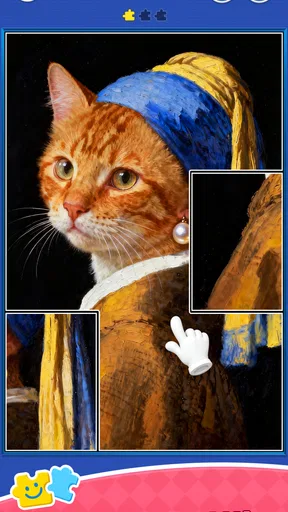
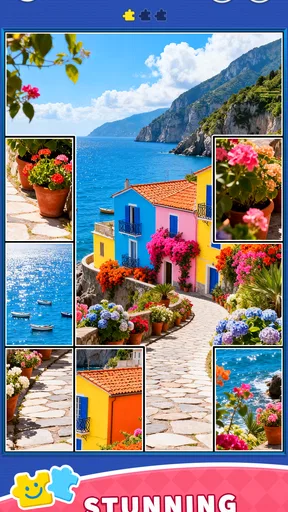
The first thing that struck me about Jigsawpics Puzzle Gallery was how easy it was to dive in. The interface is clean and intuitive, so even if you’re new to digital puzzles, you won't feel lost. Once you download the app, you’re greeted with a gallery full of vibrant images just begging to be pieced together.
Selecting a puzzle is as simple as browsing through a photo album. The variety here is impressive, ranging from serene landscapes to adorable animals. You can even upload your own photos to create custom puzzles, which is a delightful feature if you want to turn cherished memories into a fun challenge.
Piece by Piece: The Puzzle Experience
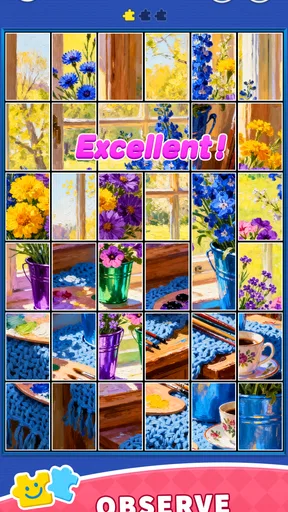
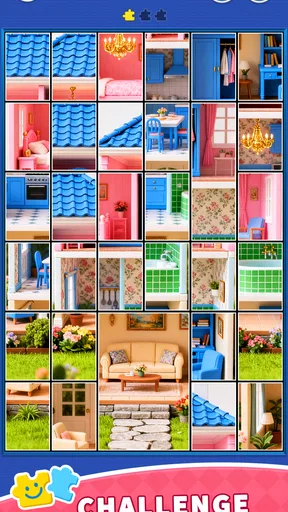
The gameplay itself is smooth and engaging. You can choose the number of pieces, tailoring the difficulty to suit your mood. Whether you’re looking for a quick 50-piece fix or a more intense 1,000-piece marathon, Jigsawpics has you covered.
One of my favorite aspects is the realistic feel of the puzzle pieces. They snap into place with a satisfying click, and you can easily rotate them with a simple tap. It’s almost like handling real pieces, minus the risk of losing them under the couch!
The app also includes helpful tools like a preview option and the ability to sort pieces by color or edge, which is a lifesaver when you’re stuck. Plus, if you have to step away, the app saves your progress automatically, so you can pick up right where you left off.
Visuals and Soundtrack
Now, let's talk about the visuals. The images in the gallery are high-resolution and stunning. They really pop on the screen, making the completed puzzle feel like a work of art. The app also runs smoothly, with no lag or glitches in my experience, which is always a huge plus.
As for the soundtrack, it’s calm and unobtrusive. The gentle background music enhances the relaxing vibe without being distracting. Of course, if you prefer your own tunes, you can always mute the music and play your favorite playlist.
Why Jigsawpics Stands Out
What really sets Jigsawpics Puzzle Gallery apart from other puzzle apps is its community features. You can share your completed puzzles with friends or take part in weekly challenges to earn badges. It adds a social element that I didn’t know I needed until I tried it.
There’s also a leaderboard where you can compare your completion times with others. If you’re the competitive type, this is a great way to push yourself and improve your skills. And if you’re just here for the chill vibes, you can ignore it entirely and focus on your own pace.
Final Thoughts
All in all, Jigsawpics Puzzle Gallery is a must-have for puzzle enthusiasts. It combines the tactile joy of traditional puzzles with the convenience and versatility of a digital format. Whether you’re a seasoned puzzler or just looking for a new way to unwind, this app is worth a try. Plus, with the ability to create your own puzzles, the possibilities are endless.
So, if you’re ready to lose yourself in a world of vibrant images and satisfying clicks, give Jigsawpics a download. Who knows, you might just find it’s your new favorite pastime!
Pros
- Intuitive interface that’s easy to navigate.
- Wide variety of puzzles to choose from.
- High-quality images for a better experience.
- Allows offline play
- perfect for travel.
- Regular updates with new content.
Cons
- In-app purchases can be pricey.
- Ads can be intrusive during gameplay.
- Requires a lot of storage space.
- Limited free puzzles available.
- No multiplayer or social features.
FAQs for Jigsawpics Puzzle Gallery
What is Jigsawpics Puzzle Gallery?
Jigsawpics Puzzle Gallery is a mobile application available for Android and iOS that allows users to enjoy a wide array of jigsaw puzzles. The app offers a diverse collection of images, ranging from stunning landscapes to intriguing abstract art, to engage puzzle enthusiasts of all ages.
How does the difficulty level vary in Jigsawpics Puzzle Gallery?
Jigsawpics Puzzle Gallery caters to both beginners and seasoned puzzlers by offering multiple difficulty levels. Users can choose from a variety of piece counts, starting with simpler puzzles at 16 pieces and advancing to challenging ones with up to 500 pieces, ensuring an appropriate challenge for everyone.
Are there any in-app purchases in Jigsawpics Puzzle Gallery?
Yes, Jigsawpics Puzzle Gallery includes in-app purchases. While the app offers a selection of free puzzles, users can purchase additional puzzle packs or subscribe to unlock premium features, such as ad-free gameplay and exclusive images. This ensures a more personalized and expansive puzzle experience.
Can I create custom puzzles in Jigsawpics Puzzle Gallery?
Jigsawpics Puzzle Gallery allows users to create custom puzzles using their personal photos. This feature enhances the app's appeal by letting users transform cherished memories into engaging puzzles, adding a personal touch and extending the app's replay value significantly.
Is Jigsawpics Puzzle Gallery suitable for children?
Jigsawpics Puzzle Gallery is indeed suitable for children, offering a user-friendly interface and a range of puzzles with varying difficulty levels. The app provides an educational and entertaining experience, helping to develop problem-solving skills and spatial awareness in young users.


